
Drive, Meet, Chat, Gmail Insights
Unobvious Insights from Your Key Apps
A single view of your team's activity in Google Drive, Meet, Chat, Gmail, Gemini, and Tasks.
Product Feature Showcase
- Google Meet
- Understand meeting engagement with attendance, duration, and frequency. Spot ways to improve schedules and collaboration.
- Google Drive
- See how the team collaborates via file activity: creation, editing, sharing, and where collaboration might be stuck.
- Google Chat and Gmail
- See how the team communicates: volume, responsiveness, and who drives conversations.
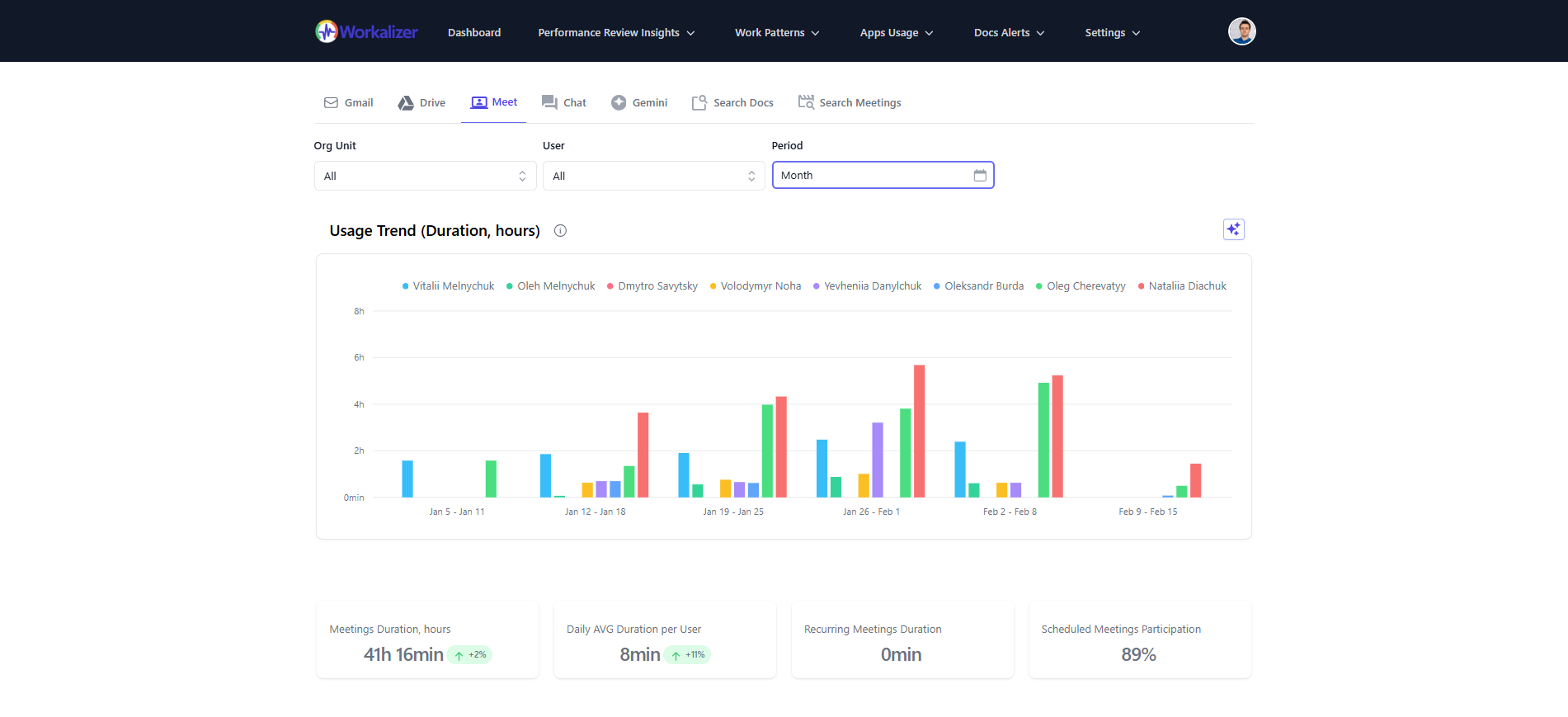
Google Drive
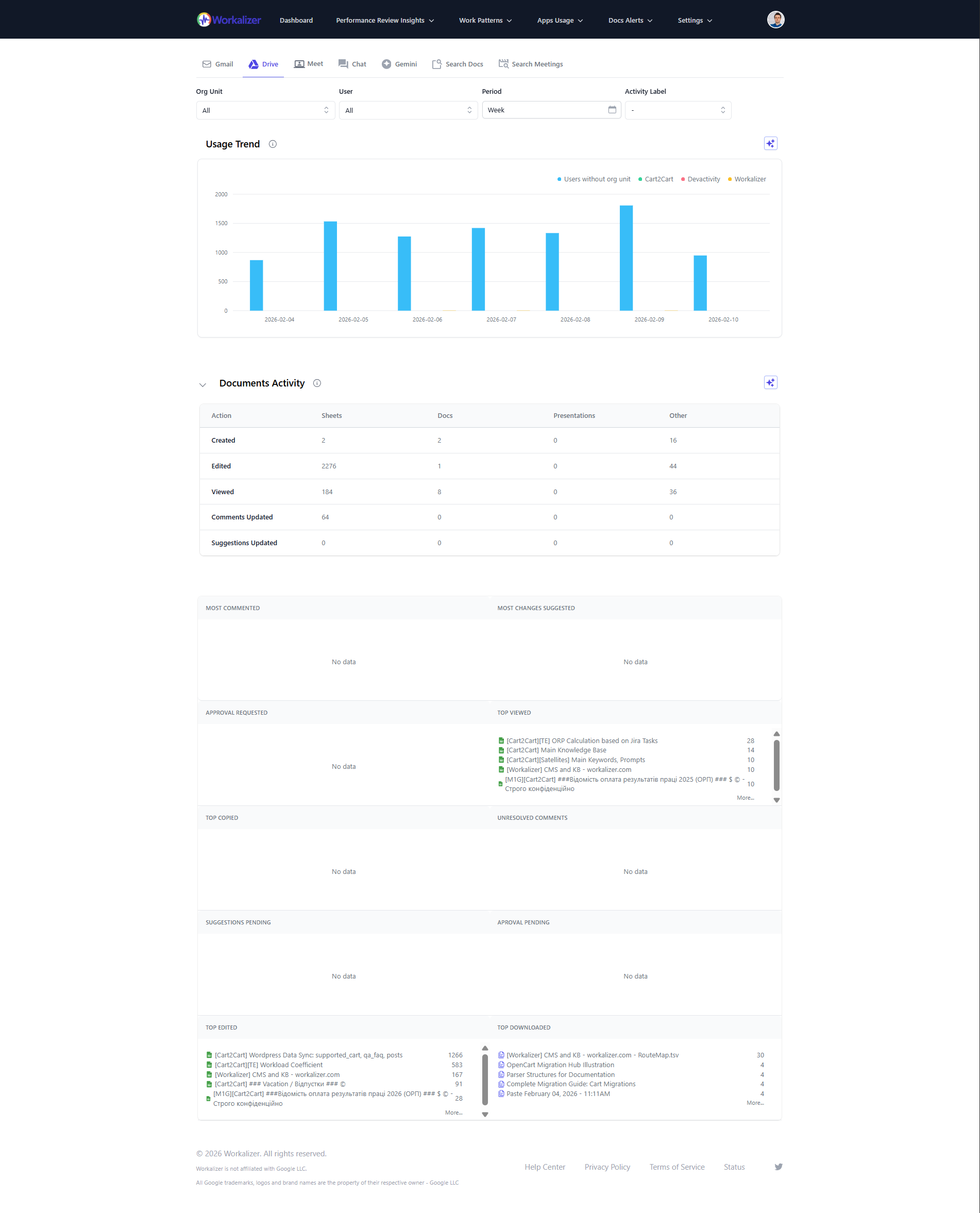
Top Collaborated Documents
Find the most shared and edited documents and key collaborative assets.
Document Sharing Trends
See how files are shared internally and externally and spot possible risks.
File Activity Overview
Track creation, changes, and deletions over time for content lifecycle.
External File Sharing
See files shared outside your domain and who shared them for security review.
Permissions Change History
Review changes to file and folder permissions for access control and audits.
Inactive File Analysis
Find files not accessed or modified in a given period for cleanup or archiving.
Gemini
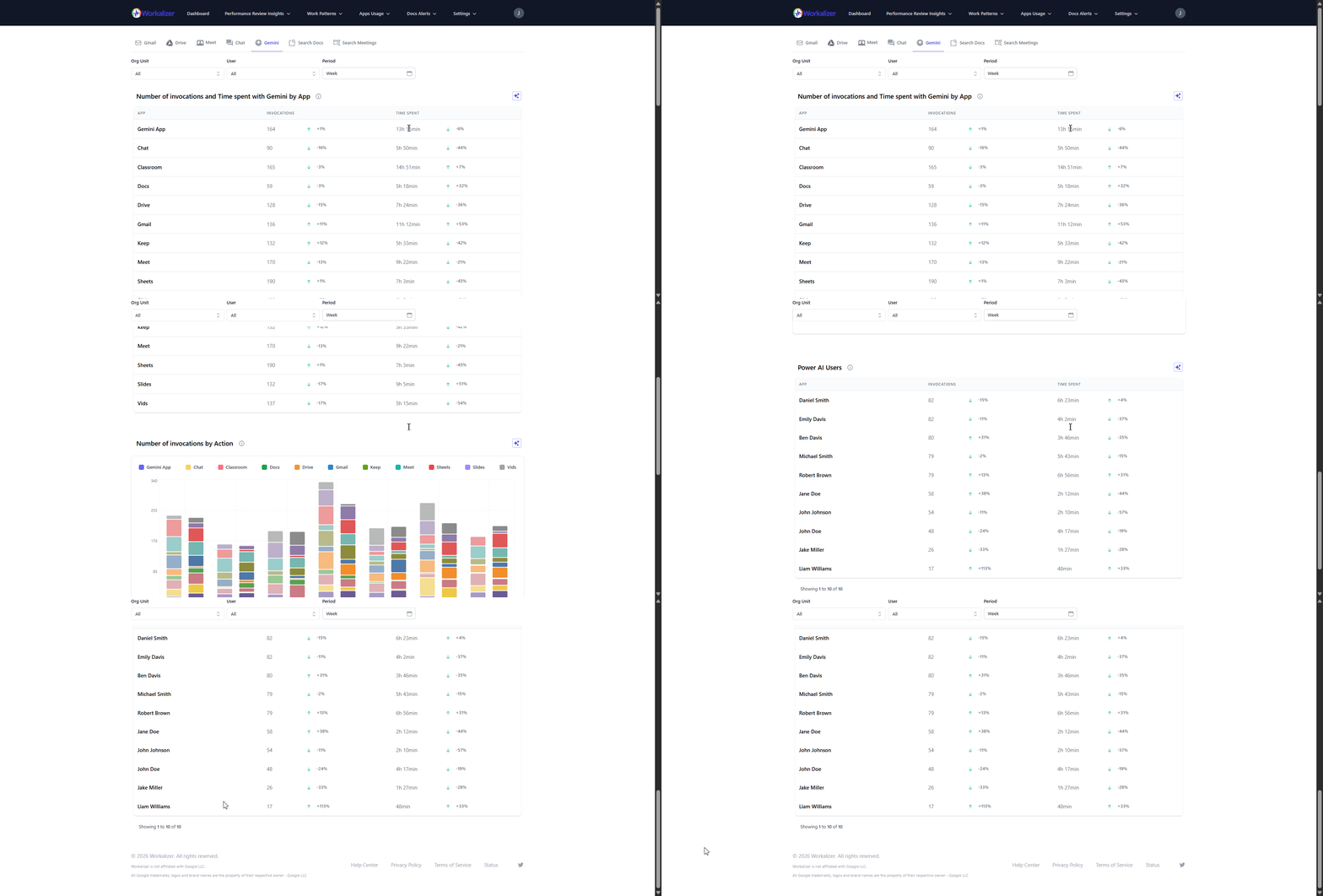
Invocations by App
See how often Gemini is used across Duet, Search, and other surfaces.
Usage by User and Org
Track Gemini adoption by person and organizational unit.
AI Adoption Trends
Monitor how Gemini usage changes over time for training and rollout.
Google Meet
Meeting Attendance
See who attended Meet sessions and how often.
Meeting Duration
See how long meetings run to improve time use.
Top Meeting Participants
Identify who joins Meet most often.
Meeting Frequency
Track how often meetings are scheduled over time.
Meeting Organizers
See who creates and owns Meet sessions.
Meeting Overlap
Spot overlapping meetings and scheduling conflicts.
Google Chat and Gmail
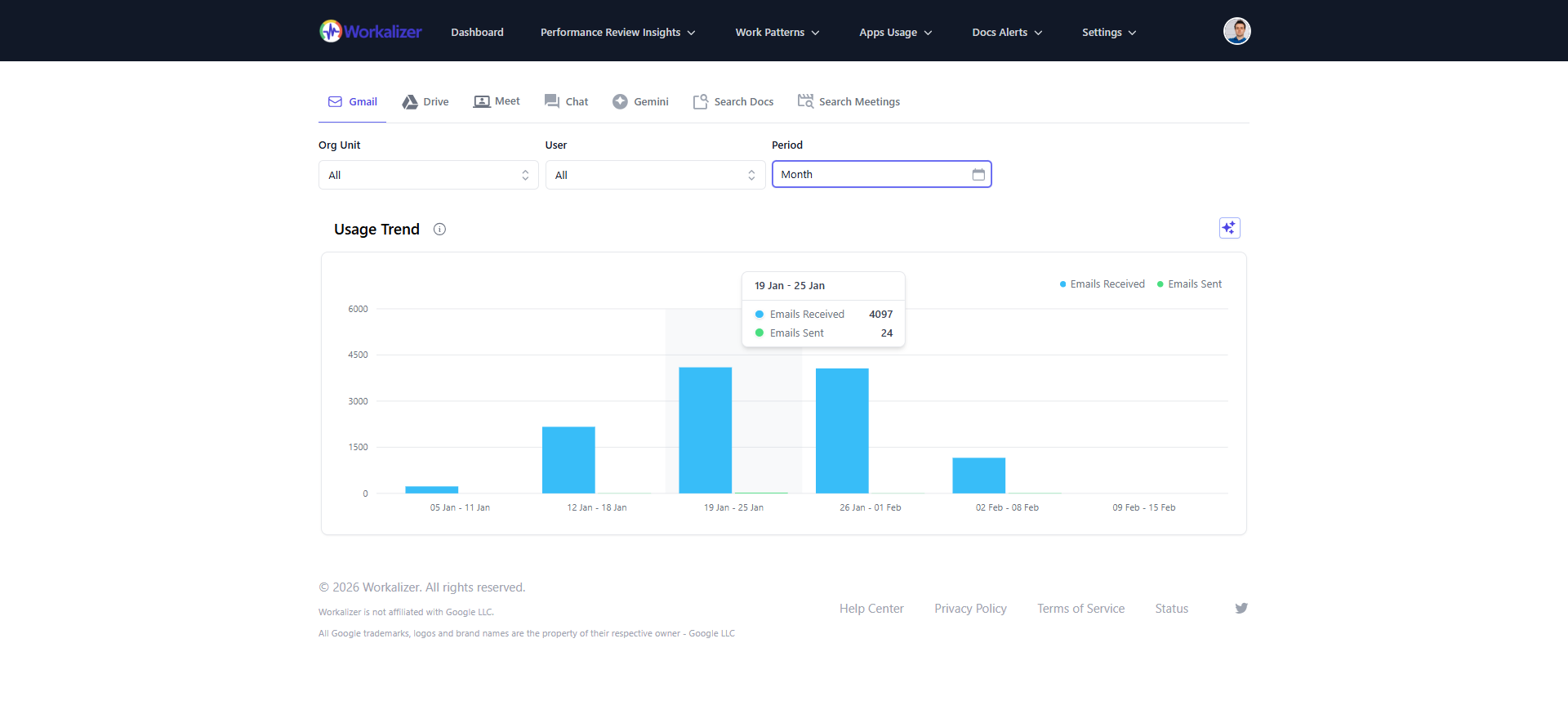
Communication Volume
Track emails sent and received and Chat messages in a given period.
Channel Preference
See whether the team leans on Gmail or Chat for communication.
Email Response Time
Measure how quickly people or teams reply to email.
Top Communicators
Identify who sends and receives the most email and Chat messages.
Internal vs External
See the split between in-org and external communication.
Communication Network
Visualize who talks to whom via email and chat.
Google Tasks
Track how tasks move through your team with Google Tasks Analytics: see when tasks are opened vs closed, review recent task activity, and filter by assignee and keywords. Use it for operational oversight (backlog buildup), accountability (who closed what and when), and workload balance (who gets the most tasks).
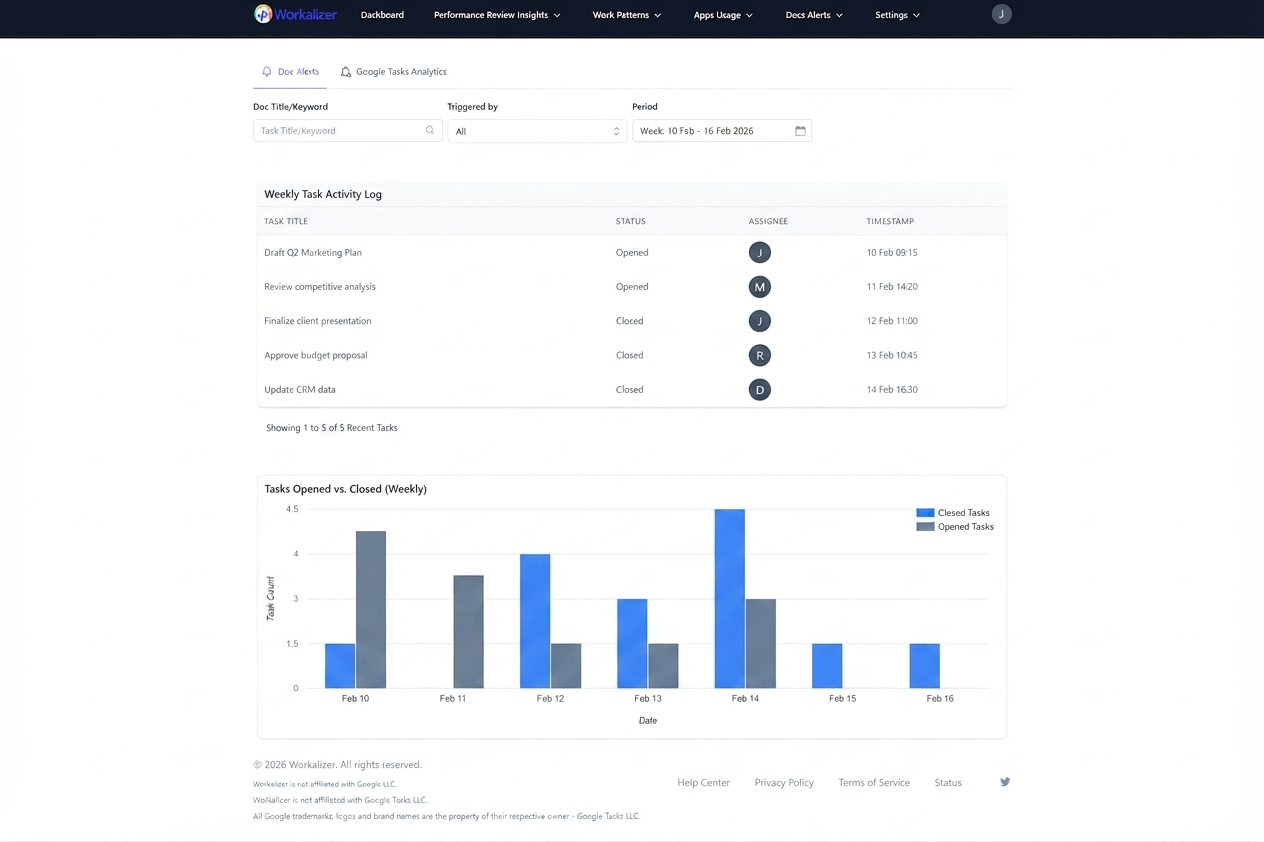
Weekly Task Activity Log
Review recent tasks with status changes (opened/closed), assignee, and timestamp.
Opened vs. Closed Trends
Compare tasks opened and closed over a week to understand completion velocity.
Search and Filters
Filter by task keyword, assignee (Triggered by), org unit, and period to find what matters.
See also: Google Tasks Usage Report
See also: Apps Usage report · Features



