
How It Works
All data is encrypted, admin-controlled, and never accesses email or document contents, ensuring full privacy and compliance
Simple & Secure
Trusted Google Data
- Admin Authorization
- Google Workspace administrators authorize Workalizer with the required permissions to securely access audit logs via the official Google Admin APIs. All access is fully controlled by the administrator, who can review, manage, or revoke permissions at any time through the Google Workspace Admin Console.
- Data Aggregation
- Workalizer securely fetches and aggregates audit logs from the Google Workspace Admin API, processing activity data across Gmail, Drive, Meet, Chat, and Calendar.
- Insight Visualization
- Transformed data is visualized through interactive dashboards, charts, and reports, providing clear insights into user activity, collaboration patterns, and performance metrics. Workalizer also sends alerts for high-risk document activity, suspicious access, or unusual collaboration, helping teams stay proactive and secure.
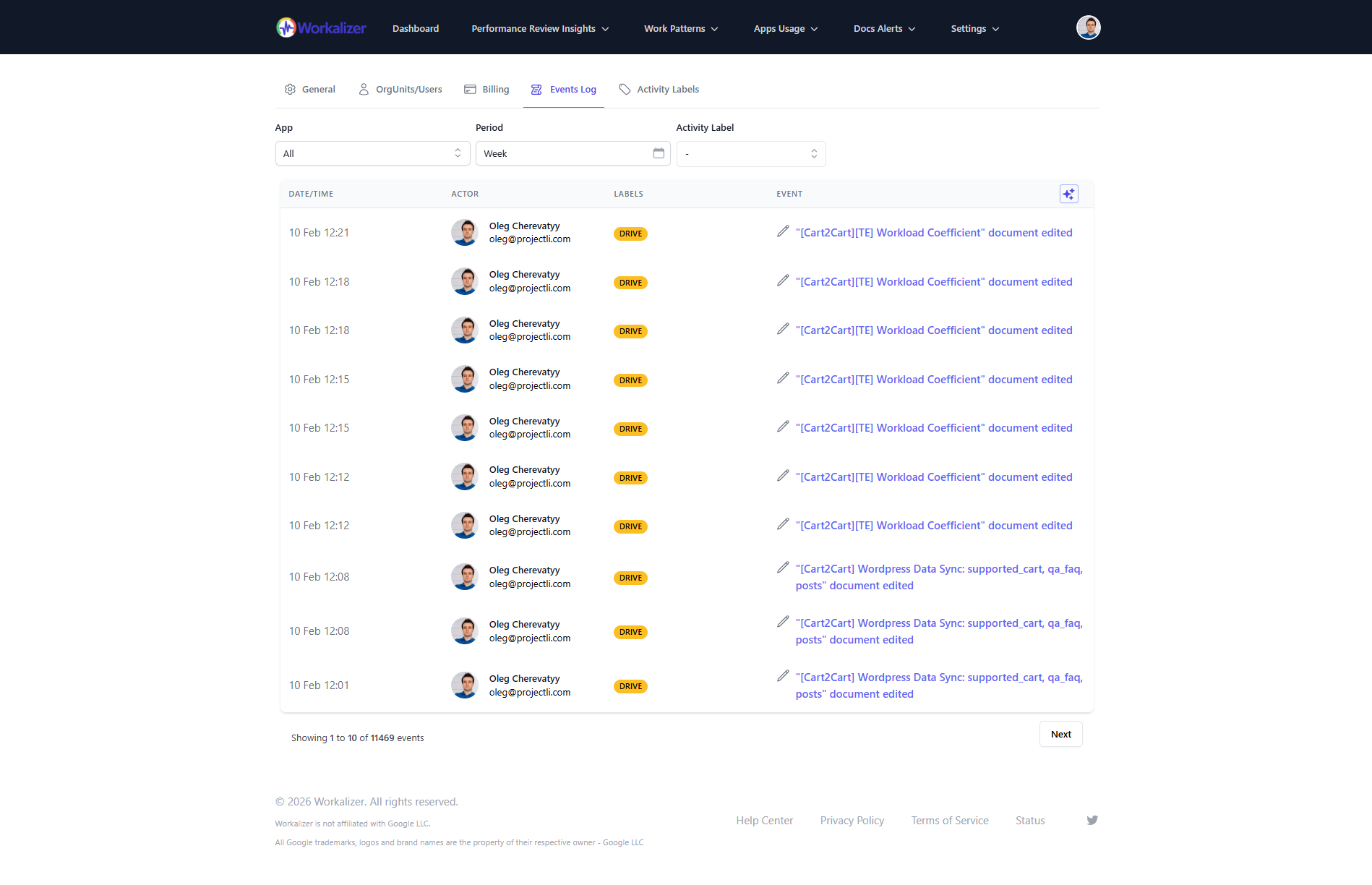
Workalizer leverages activity logs available through the official Google Workspace Admin APIs to extract comprehensive insights about your organization's activity patterns, collaboration, and performance metrics. These logs are generated and provided by Google as part of its built-in administrative reporting tools, widely used by organizations to monitor and analyze Google Workspace usage. Google Workspace is Google’s cloud business platform including Gmail, Drive, Docs, Meet, and other productivity tools.
Technical Foundation
Built on Google Workspace Admin API
Workalizer securely accesses only Google Workspace audit logs via official Admin APIs. No email, document, or chat content is shared — only metadata is used for actionable insights.
Admin-Controlled Authorization
Workalizer uses OAuth 2.0 to request scoped permissions from Google Workspace administrators. Admins retain full control: they grant, review, and can revoke access at any time through the Google Admin Console. All access is fully transparent and auditable.
Scoped Metadata Access
Workalizer retrieves only audit logs provided by Google Workspace, including activity metadata from Gmail, Drive, Meet, Chat, Calendar, and other services. No content from emails, documents, or files is accessed. Google generates and maintains these logs; Workalizer does not have independent access to company data.
Secure Log Handling
All log data is transmitted securely via encrypted channels (TLS/HTTPS) and processed within Workalizer's secure infrastructure. Audit logs are stored only in encrypted form, and access is limited to authorized system processes — ensuring data integrity and confidentiality.
Automated, Reliable Ingestion
Workalizer continuously fetches audit logs using Google's official APIs, ensuring up-to-date, accurate records of organizational activity. This automation removes manual processes and guarantees that the analytics reflect real-time behavior across all Google Workspace services.
Anomaly Detection & Insights
Workalizer aggregates and analyzes metadata to identify patterns, trends, and anomalies, such as unusual file access or collaboration spikes. All processing is done on metadata; sensitive content remains private, ensuring compliance while providing actionable insights.
Transparent & Auditable Architecture
Every action Workalizer performs is traceable. Administrators can see exactly which logs are accessed and when. Workalizer adheres to enterprise security standards, giving IT teams confidence in both compliance and operational reliability.
What You Get
Dozens of Insights at Your Fingertips
Workalizer extracts and presents insights across multiple dimensions of your organization's Google Workspace usage
User Activity Insights
Track individual user activity patterns, including work schedules, application usage, communication frequency, and collaboration engagement across Google Workspace tools.
Team Collaboration Metrics
Analyze team-level collaboration patterns, including document sharing, meeting participation, communication networks, and cross-functional interaction trends.
Performance Indicators
Identify performance indicators such as work consistency, initiative levels, time management, communication effectiveness, and adherence to schedules.
Work Pattern Analysis
Understand daily work rhythms, including activity timelines, meeting schedules, communication spikes, and periods of focused work or collaboration.
Application Usage Trends
Monitor how your organization uses different Google Workspace applications, identifying preferred tools, usage patterns, and adoption trends over time.
Security & Compliance
Track document sharing patterns, permission changes, external access, and policy compliance indicators to maintain security and governance standards.
Common Questions
Frequently Asked Questions
Clear answers about security, data access, and deployment
- 1. Can I run Workalizer on my own server?
- Yes. Workalizer offers a Private Cloud Edition, allowing deployment inside your organization's VPC (Virtual Private Cloud) for full network isolation and control.
- 2. Can someone else see my company analytics?
- No. Even the Workalizer team cannot access your data. All information is encrypted and stored securely on Hetzner Cloud in Falkenstein, Germany, ensuring full privacy. Workalizer is also listed on the CSA STAR Registry at Level 1 (CAIQ self-assessment).
- 3. What data does Workalizer access?
- Workalizer accesses only Google Workspace audit logs via official Admin APIs. No emails, documents, or chat content is ever accessed — only metadata is used for analytics.
- 4. Who controls data access?
- All access is admin-controlled. Google Workspace administrators grant permissions via OAuth 2.0 and can review or revoke access at any time from the Google Admin Console.
- 5. How is the data protected?
- All audit logs are transmitted encrypted via TLS/HTTPS and stored securely in encrypted form. Only authorized system processes can process the data, ensuring privacy and compliance. Workalizer publishes a CSA STAR Level 1 self-assessment at https://cloudsecurityalliance.org/star/registry/workalizer.
- 6. Is Workalizer compliant with data privacy regulations?
- Yes. Workalizer only processes metadata from Google Workspace audit logs. No personal content is accessed, and all processing follows GDPR, CCPA, and enterprise security standards.
- 7. Can admins audit Workalizer's activity?
- Yes. Administrators can see exactly which logs are accessed and when. Every action Workalizer performs is transparent and traceable.
- 8. Does Workalizer store any Google Workspace content?
- No. Workalizer only stores metadata from audit logs. Google Workspace content like emails, Docs, Sheets, and chats is never accessed or stored.
- 9. Can Workalizer be integrated with single sign-on (SSO) or other enterprise authentication?
- Yes. Workalizer supports enterprise SSO using standard OAuth 2.0 / SAML protocols to ensure secure authentication and access control.
- 10. What happens if permissions are revoked?
- If a Google Workspace admin revokes Workalizer's access, all log collection stops immediately, and previously collected data remains encrypted and secure.
- 11. Is Workalizer multi-tenant safe?
- Yes. Each organization's data is fully isolated. There is no cross-company data sharing, even within the same cloud infrastructure.
- 12. How real-time are the insights?
- Workalizer continuously fetches audit logs via Google Workspace Admin APIs, ensuring up-to-date analytics of user activity, collaboration patterns, and performance metrics.